Step 1
Import the salvage list
The list the towing system already exports goes in whole. Vehicles missing a VIN or mileage get flagged, not dropped.
Case study · Auto auction · Live
The yard checks each vehicle on a phone. RunStream turns that one record into the auction upload file, the printed runlist and every website listing. Nobody retypes the list.
The product
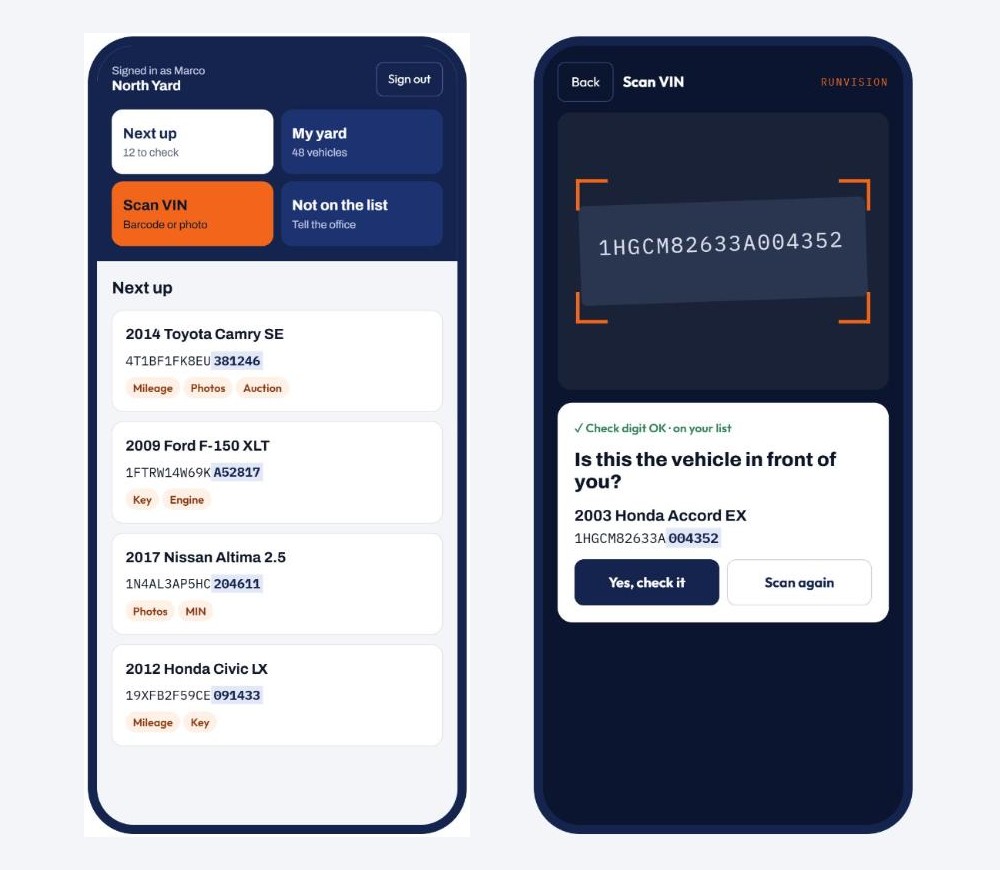
The yard app: what’s next to check, and RunVision confirming a scanned VIN. Sample data.
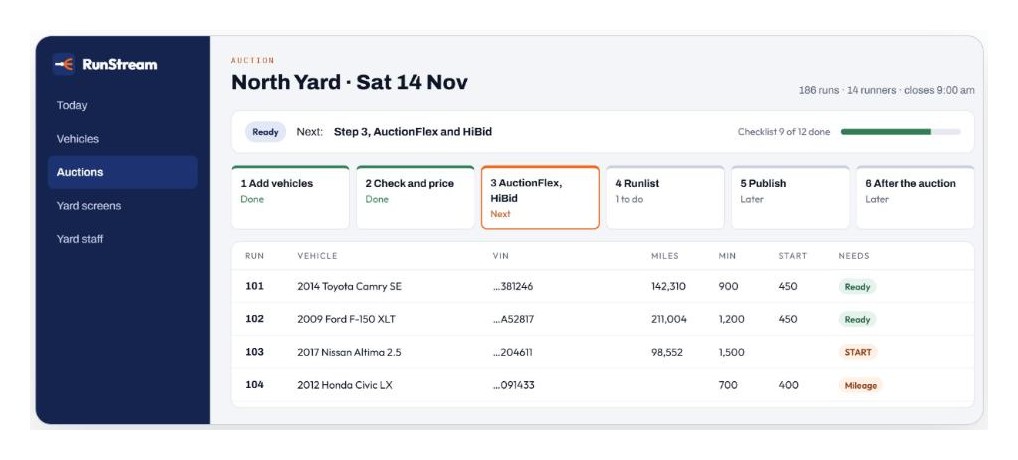
The office view of one auction: six steps, and what each run still needs. Sample data.
The bottleneck
A staging sheet, the auction software file, the runlist for preview day and the website listings. The same 200 rows went in by hand each time.
If they left, the routine left with them, and someone had to learn it with an auction on the calendar.
In one count, 6 of 166 website listings didn’t match the runlist. Mileage took two to three days to come in from the yard.
How it works
Step 1
The list the towing system already exports goes in whole. Vehicles missing a VIN or mileage get flagged, not dropped.
Step 2
Scan the VIN, enter mileage, key and engine, take the listing photos. With no signal, the phone holds the work and sends it later.
Step 3
Start prices filled a group at a time, flags cleared, and a checklist that shows what’s left.
Step 4
The auction software file with its photo folder, the runlist PDF and every website listing, in one step.
RunVision
The camera reads the door-jamb barcode. If it’s scratched or missing, a photo of the windshield plate works.
Every VIN is checked against its check digit before it’s used, and the app shows the year, make and model to confirm.
Every photo taken after the scan belongs to that vehicle. No memory cards, no renaming files.
What runs by itself
Year, make, model and specs fill in from the VIN.
Written from the title code, mileage and runner status.
The next free number, assigned for you.
Change a vehicle once and its listing updates.
What each upcoming auction still needs, split into office and yard.
After the sale, every vehicle gets its price and outcome, and each consignor gets a payout sheet.
What changed
Typing the website listings alone took 17 to 20 hours for a 200-run auction. With photo renaming, mileage chasing and the runlist, it passed 20.
At three auctions a month, that’s roughly four months of one employee’s full-time work. Confirmed with a timed auction at the yard where RunStream was built.
The website, the bidding marketplace and the runlist agree, because they come from the same record.
Each edit is logged with who made it, when, and the old and new value. Each role sees only its own screens.
The deal
Purchase. The client owns the code and hosts it. We support it.
Towing and impound intake. Dealer and fleet inventory.
It's free. You'll leave with three things in your business worth automating.